5- How to get an elevation view instead of a 3D
perspective.
5- How to get an elevation view instead of a 3D
perspective.Elevation views
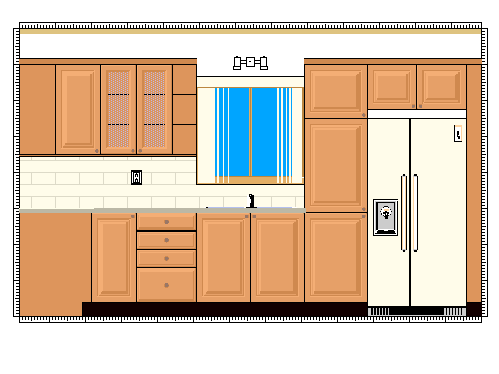
are not supported in DecoTech™. However, by adjusting the camera parameters
properly, we can obtain something that looks like an elevation view, but without any
measurement specifications.
An additional trick consists of creating a pattern of a
ruler and applying it on some objects, that we have placed appropriately around the other
objects, so that we can have an idea of the dimension and position of all the objects in
the elevation view.
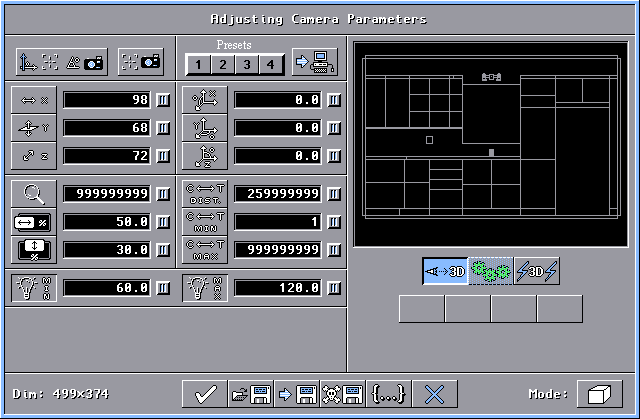
The sample picture above have been obtained by doing the
following. In the Adjusting Camera Parameters window, we have first center
what we want to see in the elevation view. After that we have set the
Zoom
value to 999999999, the Camera - Target Distance value to 259999999 and the
Camera
- Target Maximum Distance value to 999999999. (Do not forget to press the
TAB (or Enter) key to validate each entry.) These extreme values void the 3D perspective effect, so
the result is a flat 3D perspective that looks like an elevation view.
(Values in other text boxes may be different in your case.)

|