6- How to get an image file of the floor
plan to send it by e-mail.
6- How to get an image file of the floor
plan to send it by e-mail. In the
Edition Tools section click the
Print
Floor Plan button.
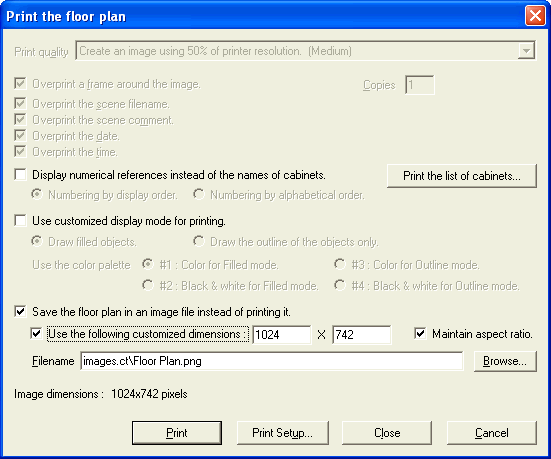
In the Print the
floor
plan window, select the
Save
the floor plan in an image file instead of printing it
check box. You can also select the Use the following
customized dimensions check box and set the size values according
to your needs. Use the Browse button to specify the name
and location where the image file will be created.
Select
the Print button to start the rendering of the image file.
At the bottom center of the main window you will see the
progression of the rendering. (Total strip may be different in your case.)
You can now load the image file in your favorite paint
program or attach it to an e-mail.
(Click
here to see a sample image.)

|