13- How to use the red blue anaglyph glasses that come with the DecoTech software.
The red blue anaglyph glasses are used
to view stereoscopic 3D perspective images. To activate the
rendering of a stereoscopic 3D perspective image, follow the steps
below.
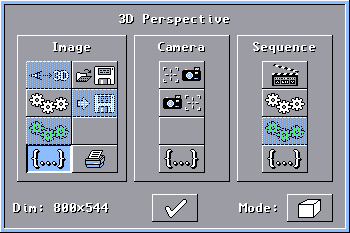
Click on the 3D button to open the
3D Perspective
window.
In the
3D Perspective
window, click on the Additional Parameters button under the
Image
column to open the Adjusting 3D Perspective
Parameters window.
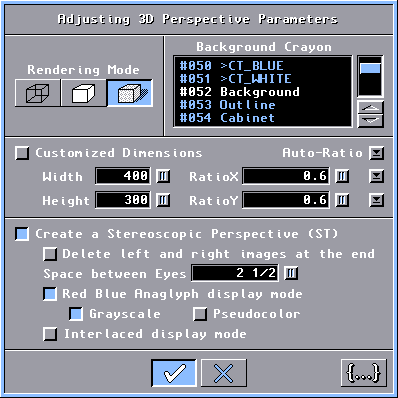
In the Adjusting 3D Perspective
Parameters window, we suggest you to use the
Smooth Shading
for the Rendering Mode but this is not required. Select
the Create a Stereoscopic Perspective (ST) button. Select
the Red Blue Anaglyph display mode button. Select the
Grayscale
or Pseudocolor button. The default value for
Space
between Eyes is 2.5 inches (6 cm), but you can experiment with
other values to create special effects. (The
Interlaced
display mode gives better results but it requires expensive liquid crystal shuttle glasses.)
Click the OK button.
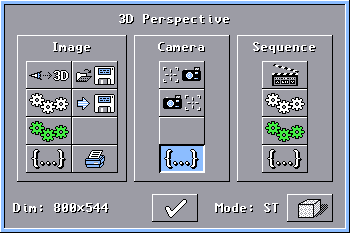
Back in the 3D Perspective
window, notice in the bottom right corner the ST and the
current Rendering Mode button. Click on the
Additional
Parameters button under the Camera column to open the
Adjusting
Camera Parameters window.
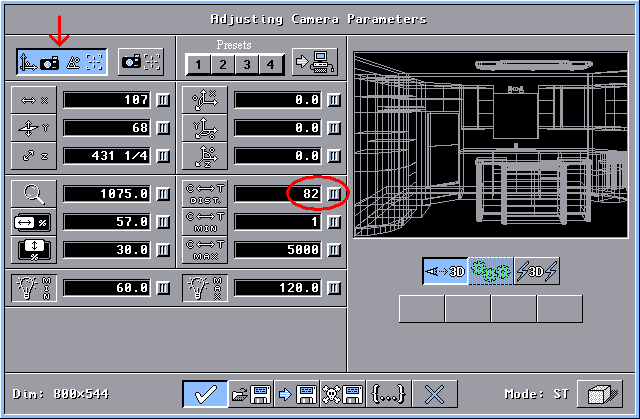
In the Adjusting Camera Parameters
window, adjust the viewing as you do normally. Before accepting,
select the Camera-Target large button and set the
Camera-Target
Distance to 82 inches (208 cm). This value will modify the
focal point of the eyes that position the scene behind or in front of
the screen. Click the OK
button.
Back in the 3D Perspective
window, start the rendering of the 3D perspective as you do
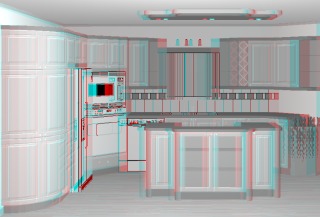
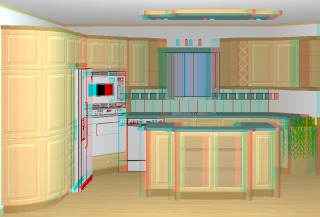
normally. The left image will be rendered first, followed by the
right image, then both images are merged together and the resulting
stereoscopic 3D perspective image is displayed.
You can easily evaluate the depth
position of the scene by moving the mouse over the stereoscopic 3D
perspective. In general, it is better to have the scene behind
the screen, especially when at least one object is clipped by the
screen edges. (Otherwise your brain will become erratic!)

|