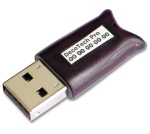
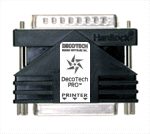
8- My DecoTech™ Pro version 6.xx
Electronic Key (Hasp-HL or Hardlock) is not properly detected.
Verify that your operating system
is a genuine
Windows™ 7 / Vista / 2003 / XP / 2000 / NT4.0 SP5 / ME / 98SE and it is correctly
configured.
Verify that you have the latest DecoTech
Update installed.
You can find the appropriated download webpage,
based on your serial number, directly
at the bottom of the main
Tech Support webpage.
The «File "hlvdd.dll" cannot be
found.» error message :
To fix this trouble, simply download and
install the latest DecoTech Update.
You can find the appropriated download webpage,
based on your serial number, directly
at the bottom of the main
Tech Support webpage.
Random trouble with Windows Vista or Windows 7 :
To fix this trouble, simply download and
install the latest DecoTech Update.
You can find the appropriated download webpage,
based on your serial number, directly
at the bottom of the main
Tech Support webpage.
Hasp HL or Hardlock files :
They should be located in the
"C:\DDS Inc\DecoTech\bin\Hasp-HL Driver\" folder.
To see version of currently installed
Hasp-HL software driver files, go in the "....\Decotech\bin\Hasp-HL
Driver\" folder and double click on the
"_Version.bat" file
(the ".bat" may not be shown). File version numbers
with higher values than those ones below are correct. Click
the OK button to close the window.
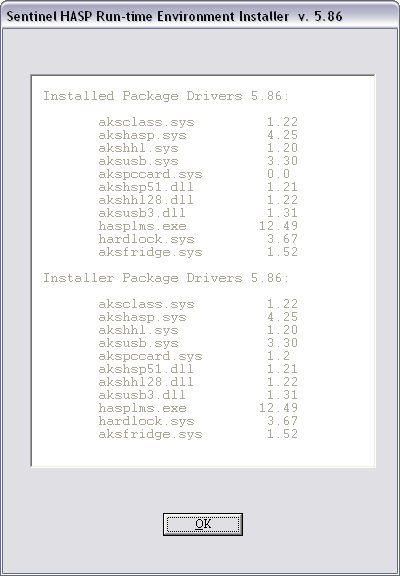
If some of your version file numbers are lower
than those above, you should download and install the most recent
DecoTech Update. You can find the appropriated download
webpage, based on your
serial number, directly at the bottom of the main
Tech Support webpage.
USB Port Hasp-HL and Hardlock
:
Be sure that your computer BIOS has its
USB port enabled and working correctly. If you have installed
the latest Hasp-HL driver (above), Windows
will automatically detect the
USB key device when inserted and it will install the appropriated
communication software driver. The red led of the
key device will light to indicate that it is ready to be accessed. If the red led do not light, try to plug the key into
another USB port.
Parallel Port Hardlock :
Be sure that your computer BIOS has its
PARALLEL port enabled and working correctly in bi-directional
mode. If you connect other hardware (printer, scanner, storage
unit, etc) directly to the parallel port key, we
give no guarantee that the parallel
port key and/or the other hardware will work correctly
together. In such rare case, you will need to purchase
another parallel port and dedicate it only to the parallel port key.
So, when you are troubleshooting a parallel port key, do not plug anything else
in it.
Finally, before thinking that your key
device is broken, try it
on a different computer system if possible.

|