11- When I go to the download web page of the evaluation version, I click a link but nothing happens.
When the download web page appears, you
have to choose a server on the planet by clicking on its link. A
few seconds after the next web page appears, the downloading of the
file normally begins. If it is not the case, maybe the selected
server is simply not available (down for maintenance) or maybe the
downloading of the file has been blocked by your Internet Browser
Security options. In first case, try another server or retry the
same later. In second case, check your Internet Browser Security
options.
Note : The
Microsoft SP2 Update for Windows XP now set the default
Security options of Internet Explorer to
block everything that may harm your computer. That is an
excellent feature. When something is blocked, the
Information
bar is displayed at top just below the Address bar.
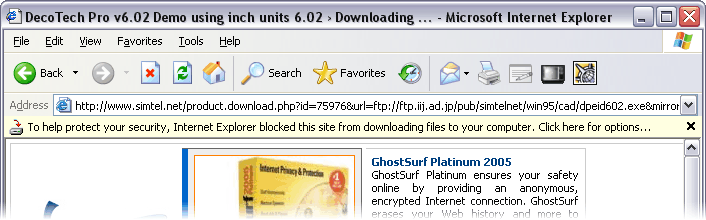
To enable the blocked
downloading, simply make a left or right click on the
Information bar, then in the popup menu, select
Download File...
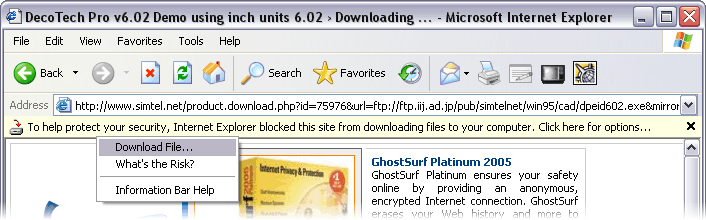

|
